Copy and paste the link
Copy the video's link from YouTube. In SaySo's list import screen, choose YouTube, then tap Paste YouTube Link.
Paste a YouTube tutorial link into SaySo, review the generated steps, and save a checklist on your iPhone. Keep the original video close for the details a list cannot show.
YouTube and website imports are free. Pro adds unlimited TikTok and Instagram imports.
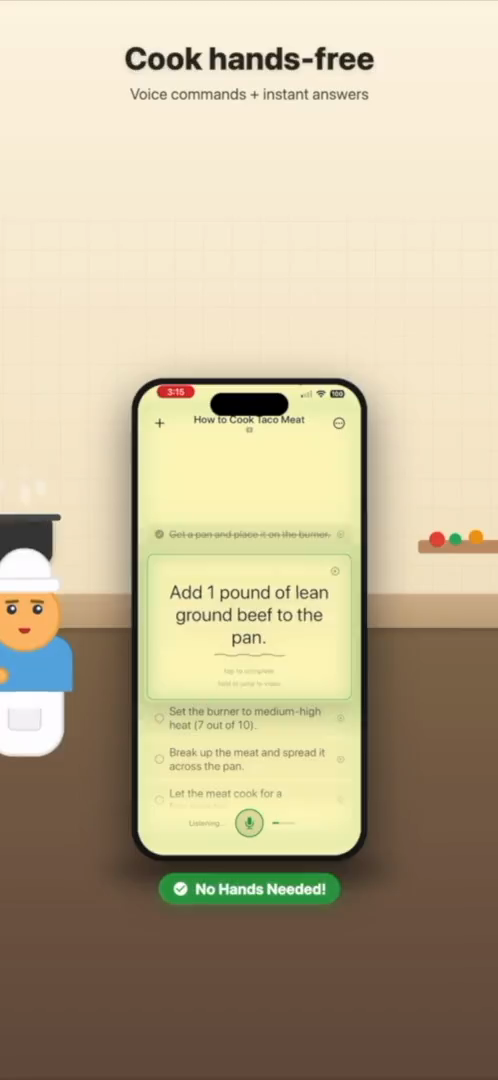
Existing SaySo cooking preview: a checklist keeps the current action visible.
Start with a tutorial that explains a clear sequence of actions.
Copy the video's link from YouTube. In SaySo's list import screen, choose YouTube, then tap Paste YouTube Link.
Tap Analyze Video. When the preview is ready, check each step against the tutorial, edit the wording, and remove anything you do not need.
Name your list and tap Make it Sticky to save it. Work through the checklist and return to the source whenever a technique needs a closer look.
Import requires an internet connection. Processing time and results depend on the source; a generated list can be incomplete or wrong. Review measurements, sequence, and safety details before starting.
A useful checklist describes actions, not a summary of what the creator talked about.
This is an illustrative outline, not output from a tested import. The video's exact folds belong in your reviewed list. Keep visual details in the original tutorial instead of guessing from a short step.
Prefer to write your own list? Use our five-step tutorial checklist method and reusable template.
Not every YouTube link can become a reliable checklist.
Check your connection and that the video is accessible. Retry the import if it failed. If the tutorial relies on silent visual demonstrations or leaves out key instructions, write the missing steps yourself using the manual checklist guide. Do not treat a generated list as a full record of the video.
A recipe page or written how-to may give you a clearer starting point for ingredients, quantities, and ordered instructions. See how to import a webpage as a checklist.
Yes. Paste a YouTube tutorial link into SaySo, analyze it, and review the generated steps before saving your checklist. Results depend on the source.
Tutorials, recipes, repair videos, DIY builds, craft lessons, and how-to walkthroughs are the best fit.
No. SaySo does not download or store YouTube video files. It helps extract actionable steps from accessible source content.
Download SaySo for iPhone. Paste a tutorial link, review the steps, and save your first list. YouTube imports are free.
